To review and approve timesheets for payroll and invoicing, follow these steps:
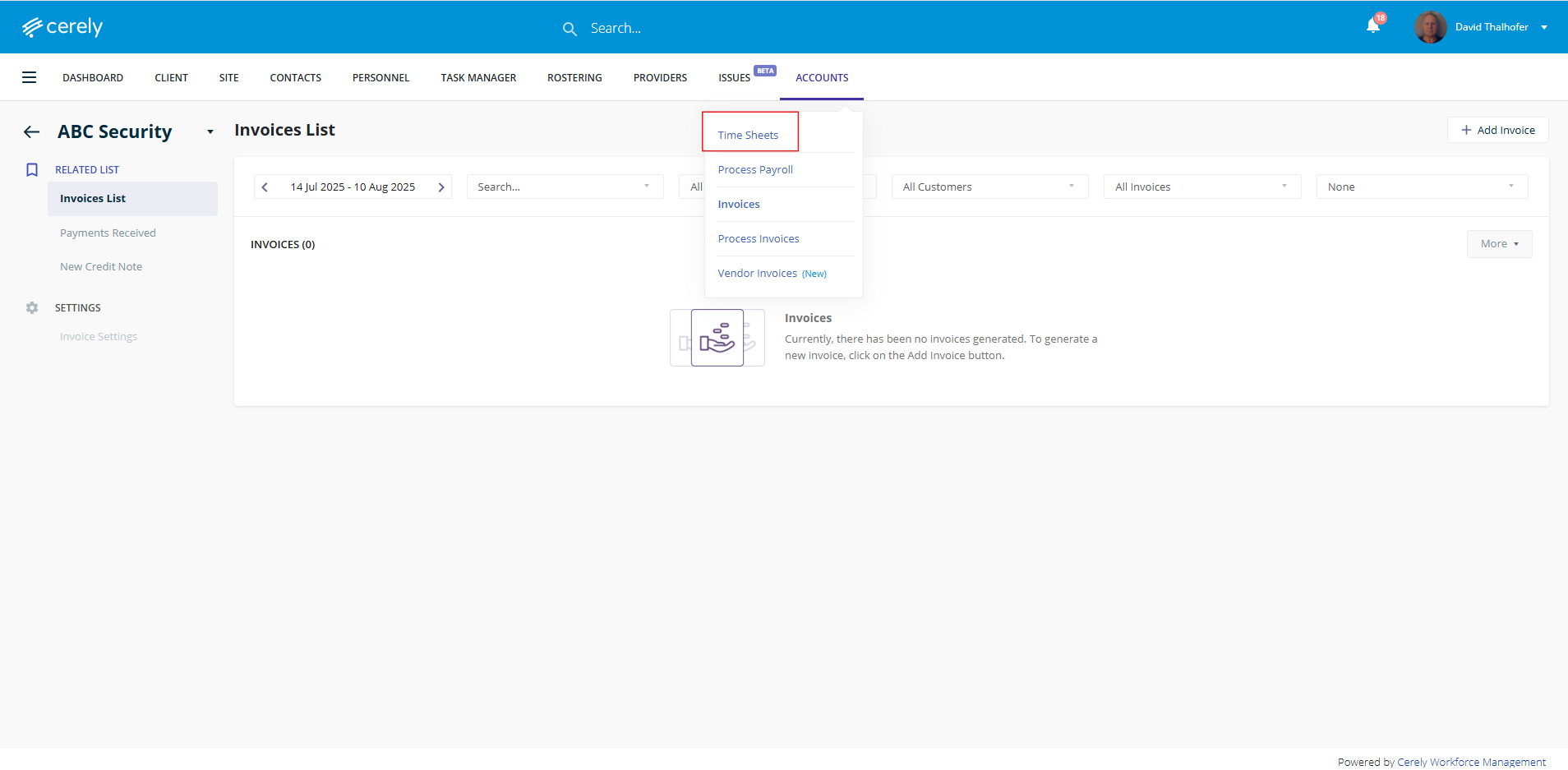
1. Navigate to the Accounts section, then select Timesheets from the menu
2. Select the relevant date range for the previous week
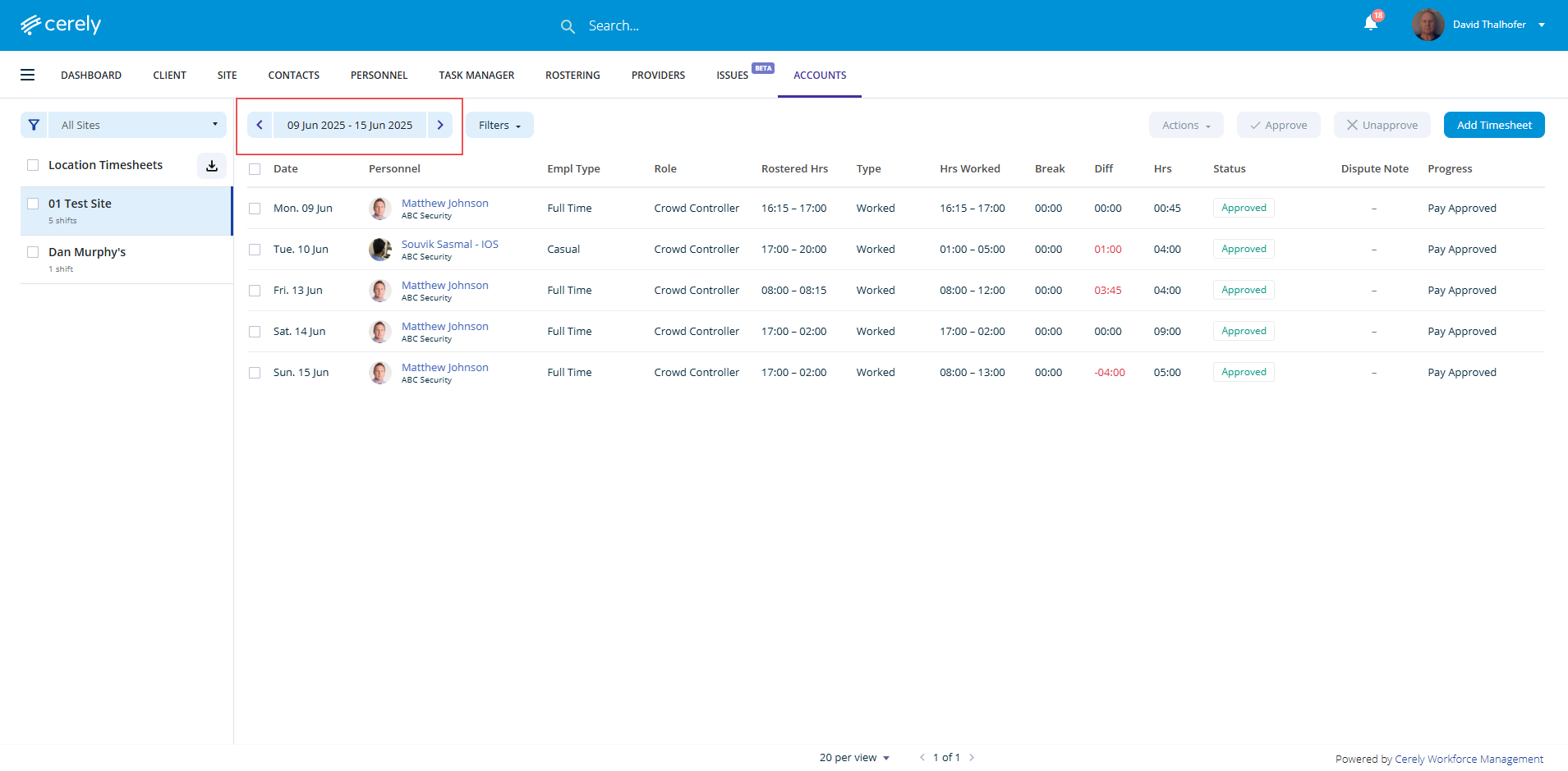
3. The timesheets for review and approval will display in the list
You can approve timesheets individually by selecting each one and clicking Approve
To approve in bulk, select multiple timesheets using the checkboxes, then click Approve
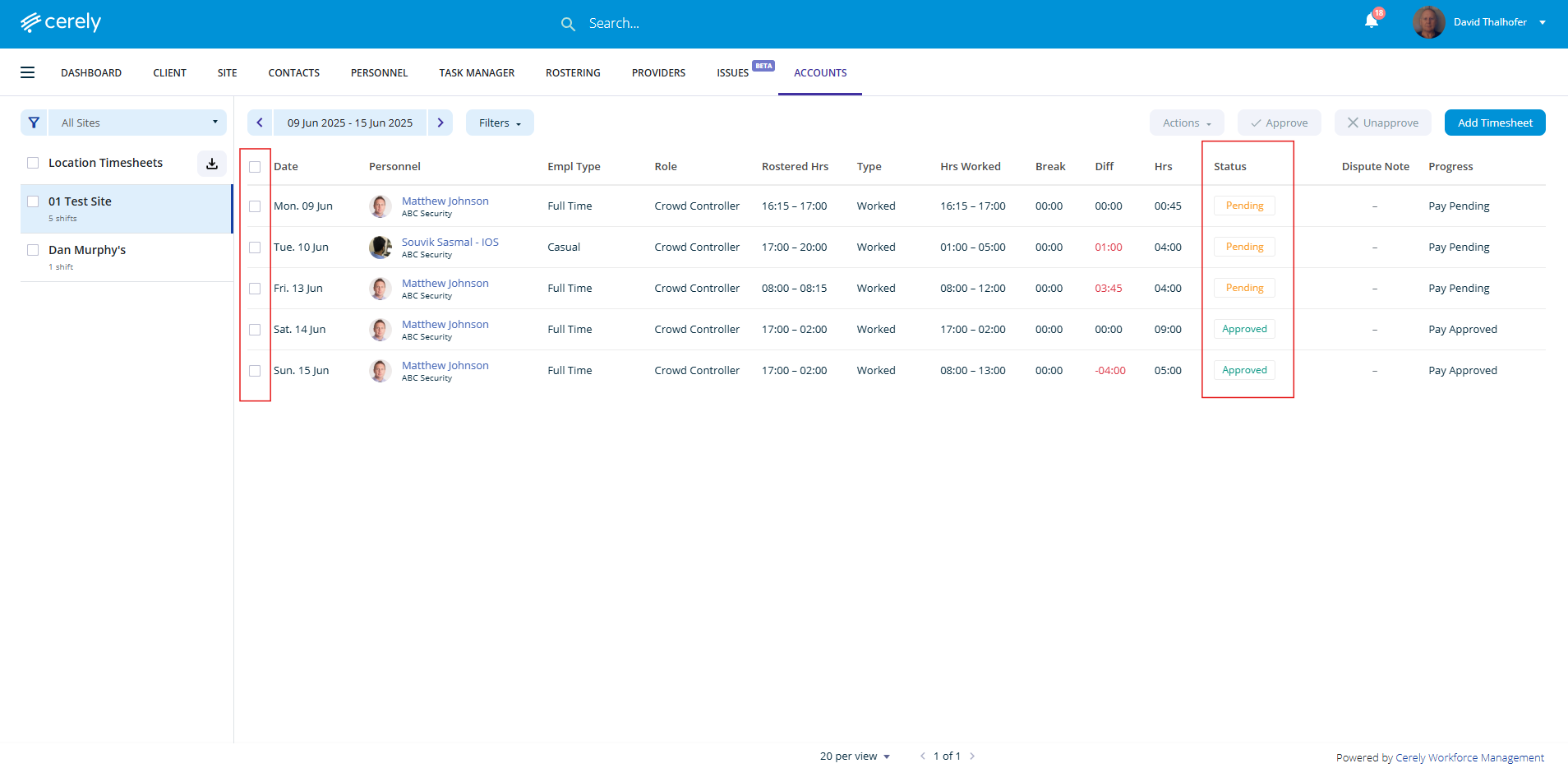
Timesheet Statuses
Incomplete: Timesheet requires completion and review before approval
Pending: Timesheet has been submitted and is ready for approval
Approved: Timesheet has already been approved and is ready for payroll and invoicing
Discard: Timesheet has been discarded — the employee will not be paid, and the client will not be invoiced
Once all timesheets are in Approved status, you are now ready to proceed with payroll processing and client invoicing
Was this article helpful?
That’s Great!
Thank you for your feedback
Sorry! We couldn't be helpful
Thank you for your feedback
Feedback sent
We appreciate your effort and will try to fix the article