If you are no longer working with a client or wish to temporarily remove them from your active client list you can mark the client as inactive. This will retain all historical data, but the client will no longer appear in selection menus across the platform.
1. Navigate to the client tab located in the top menu bar
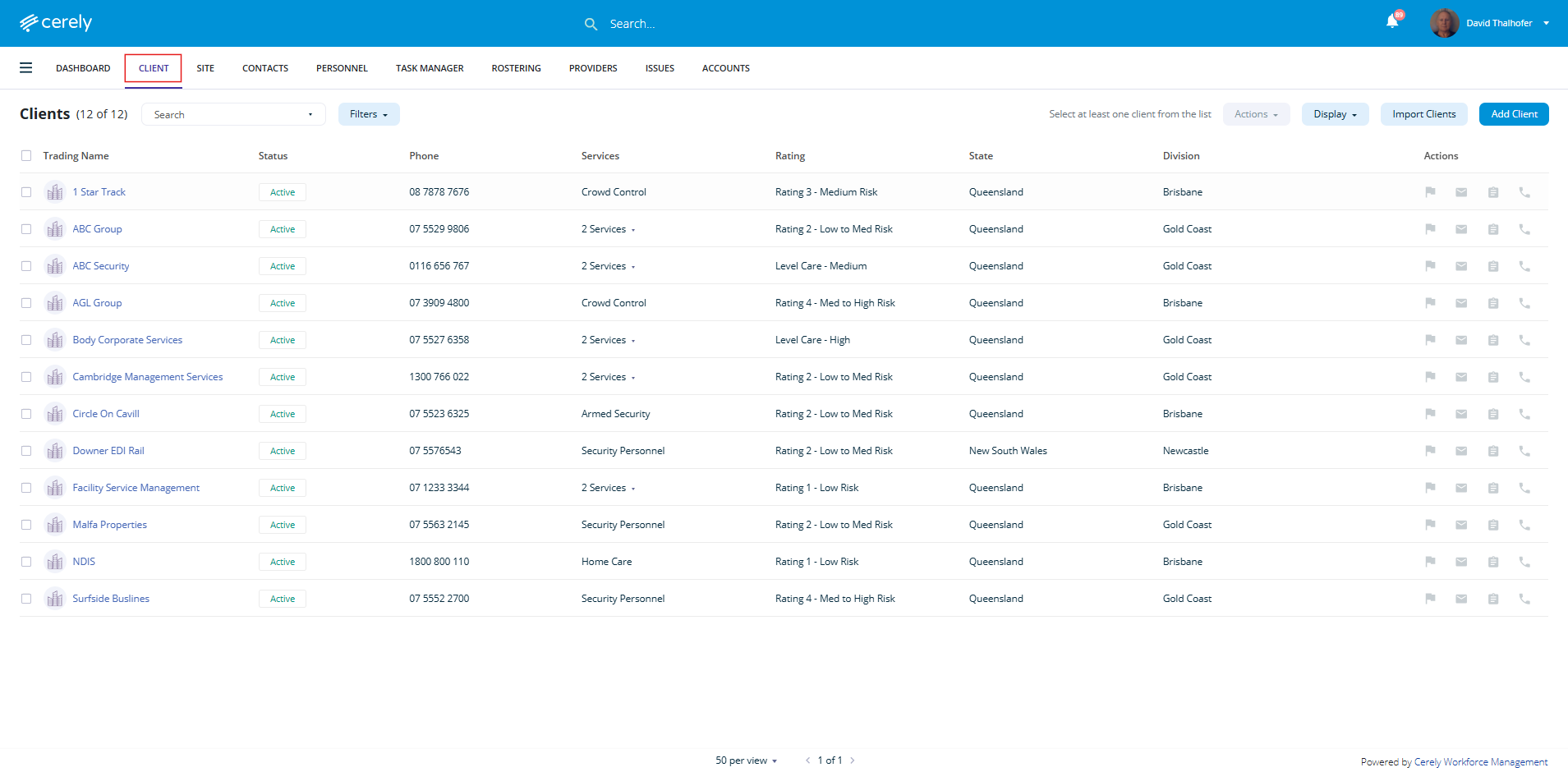
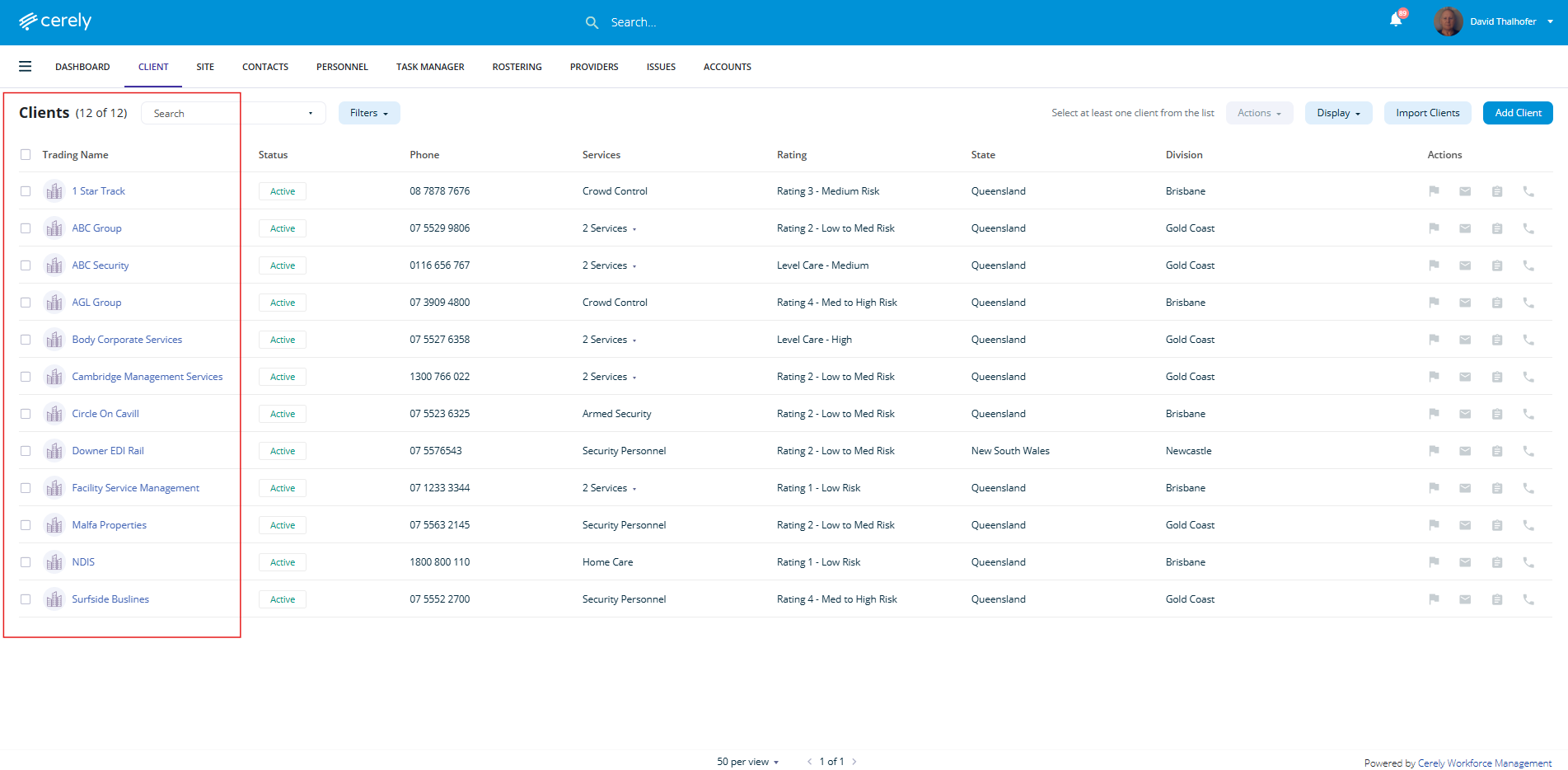
2. From the client list, click on the client name you wish to make inactive
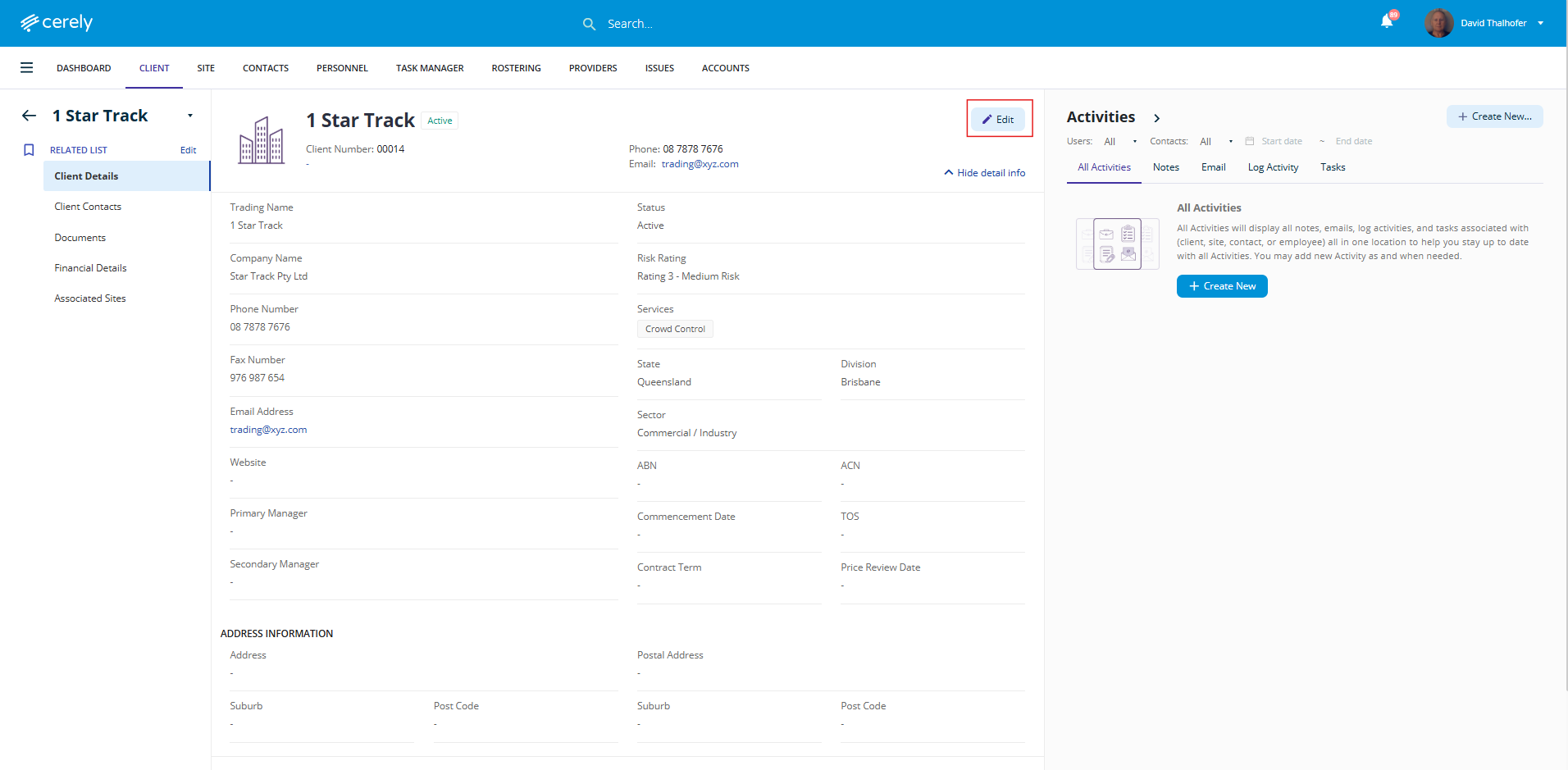
3. In the top right-hand corner of the client profile, click Edit to enable edit mode
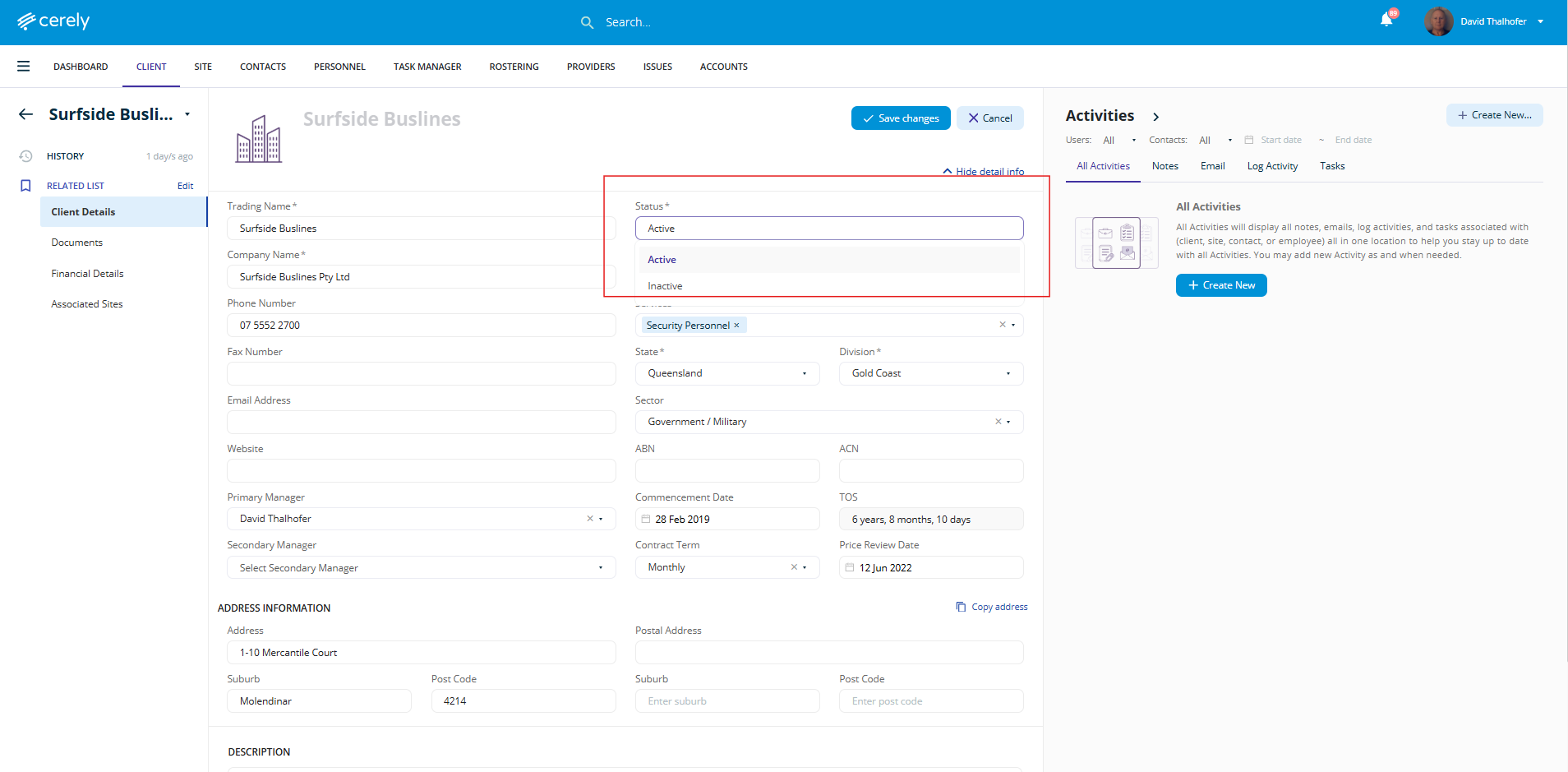
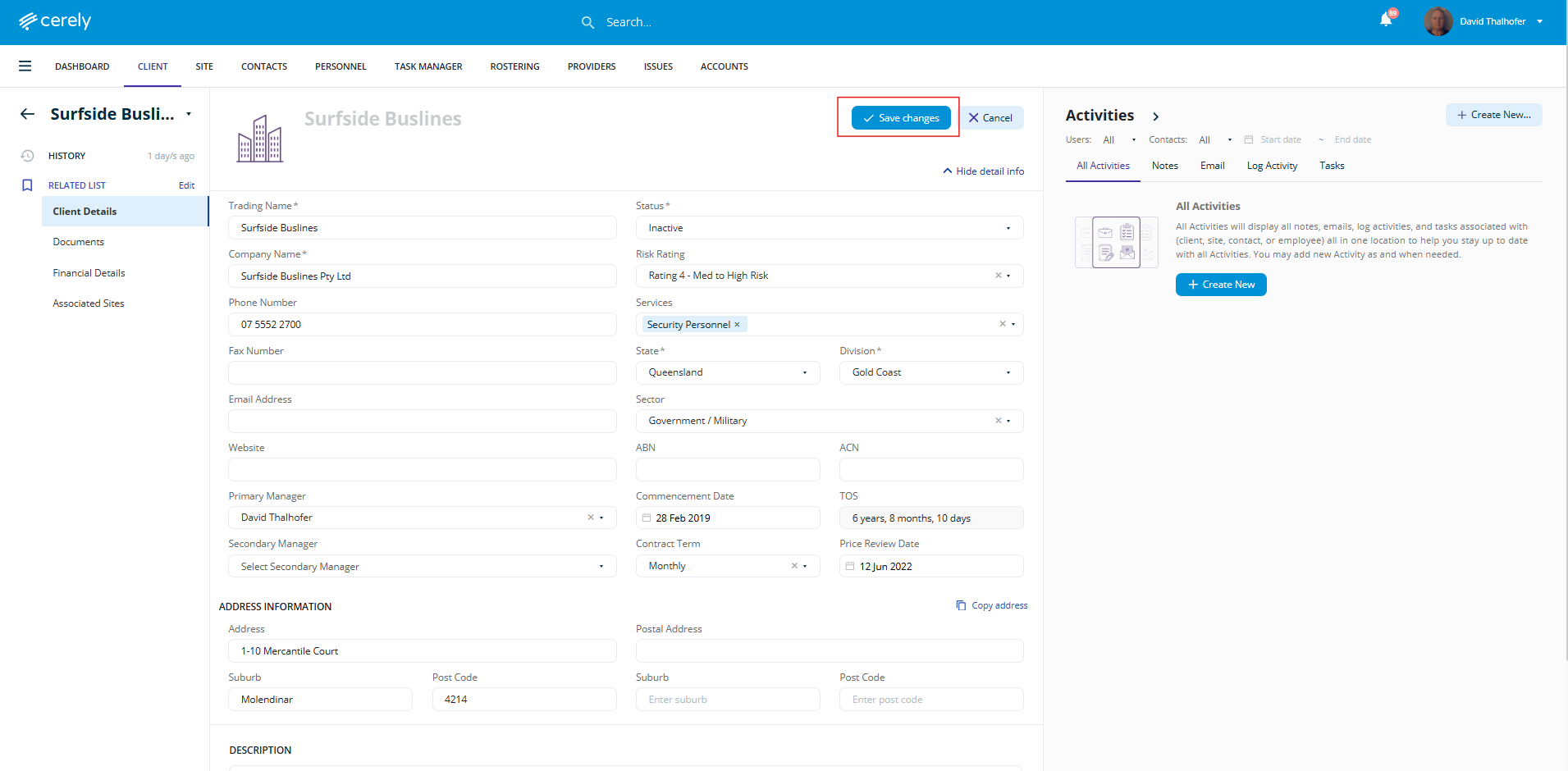
4. In the Status dropdown, change the selection from Active to Inactive
5. Once all updates are complete, click Save Changes to update the client’s record in the system
Important Note: Associated Sites Remain Active
Marking a client as Inactive will not automatically deactivate any sites linked to that client.
Link to How to Make a Site Inactive
Your client is now marked as Inactive. Their details are preserved, but they are removed from active workflows. Sites must be managed separately.
Was this article helpful?
That’s Great!
Thank you for your feedback
Sorry! We couldn't be helpful
Thank you for your feedback
Feedback sent
We appreciate your effort and will try to fix the article