To stay up to date with any changes to your roster, follow these steps:
1. Open the Cerely app on your phone
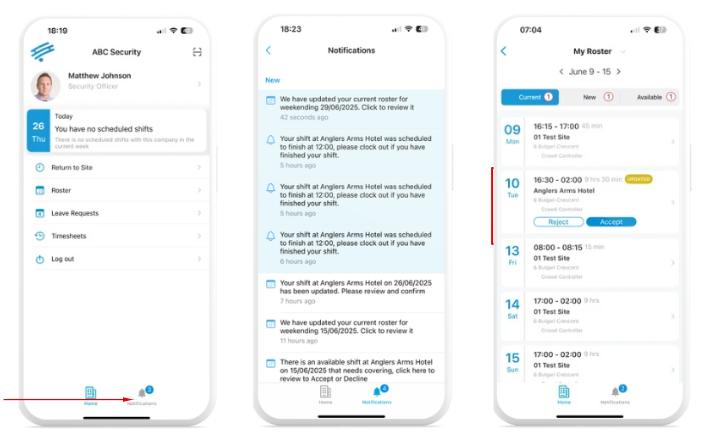
2. Tap the ‘Notifications’ tab in the bottom menu to view updates such as:
New shifts added
Available shifts
Cancelled shifts
3. You can view roster changes in two ways:
Tap a notification to open the related shift or roster update directly
Tap the ‘Roster’ tab to view your full shift list and any recent updates
Important: All changes to your roster will be sent via Cerely Notifications.
For urgent or last-minute changes, the Operations team may also call or text you directly
Was this article helpful?
That’s Great!
Thank you for your feedback
Sorry! We couldn't be helpful
Thank you for your feedback
Feedback sent
We appreciate your effort and will try to fix the article