Keeping employee emergency contact details up to date is important for compliance and safety. You can manage emergency contacts for each employee directly within their personnel profile.
1. From the main menu, click on Personnel
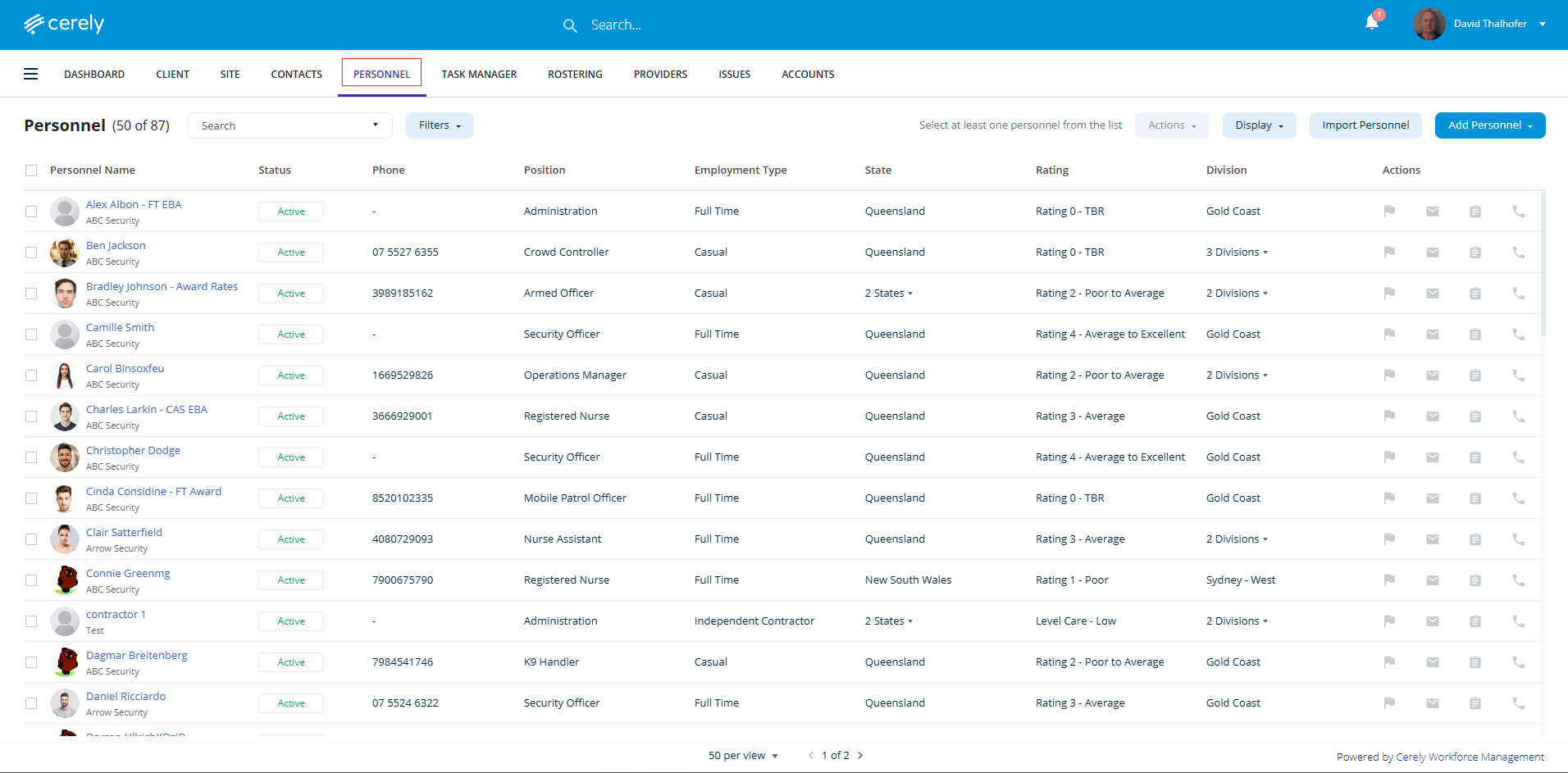
2. From the list of employees, click on the employee whose emergency contacts you want to manage
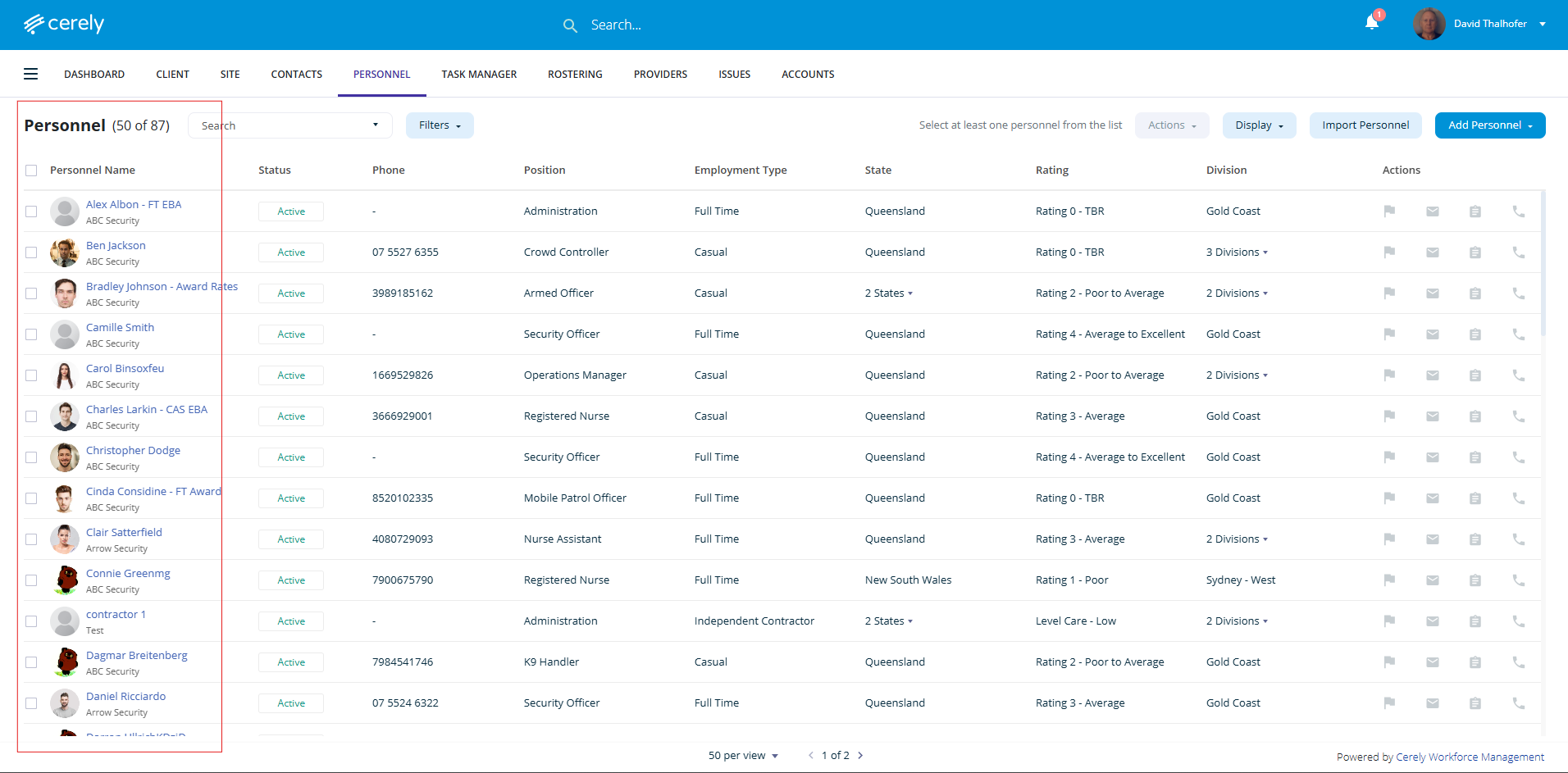
3. On the left-hand side menu, click Emergency Contacts
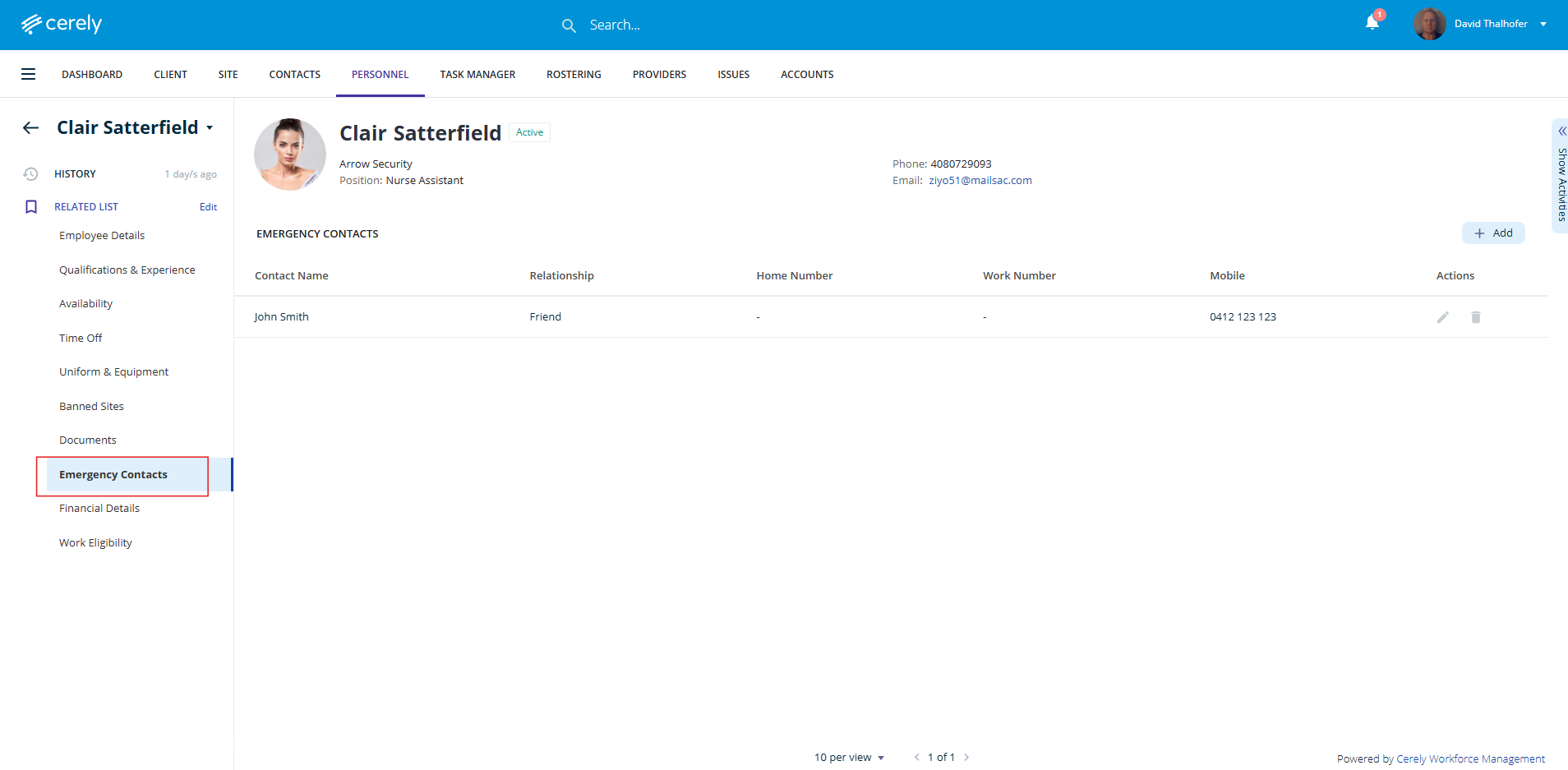
Add an Emergency Contact
4. Click the + Add Emergency Contact button
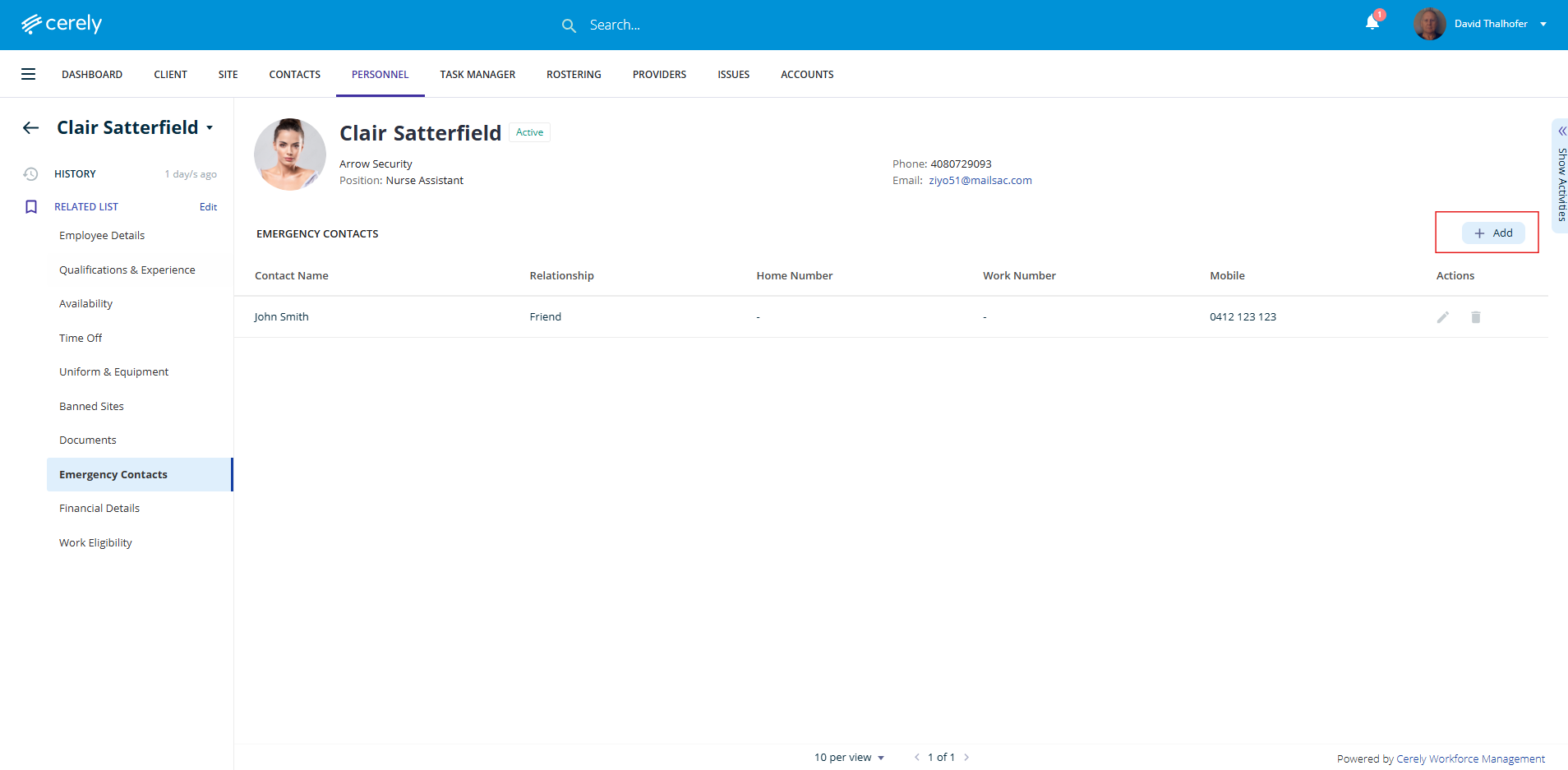
5. Enter the following details:
Contact Name
Relationship (e.g. Partner, Parent, Friend)
Phone/Mobile Number(s)
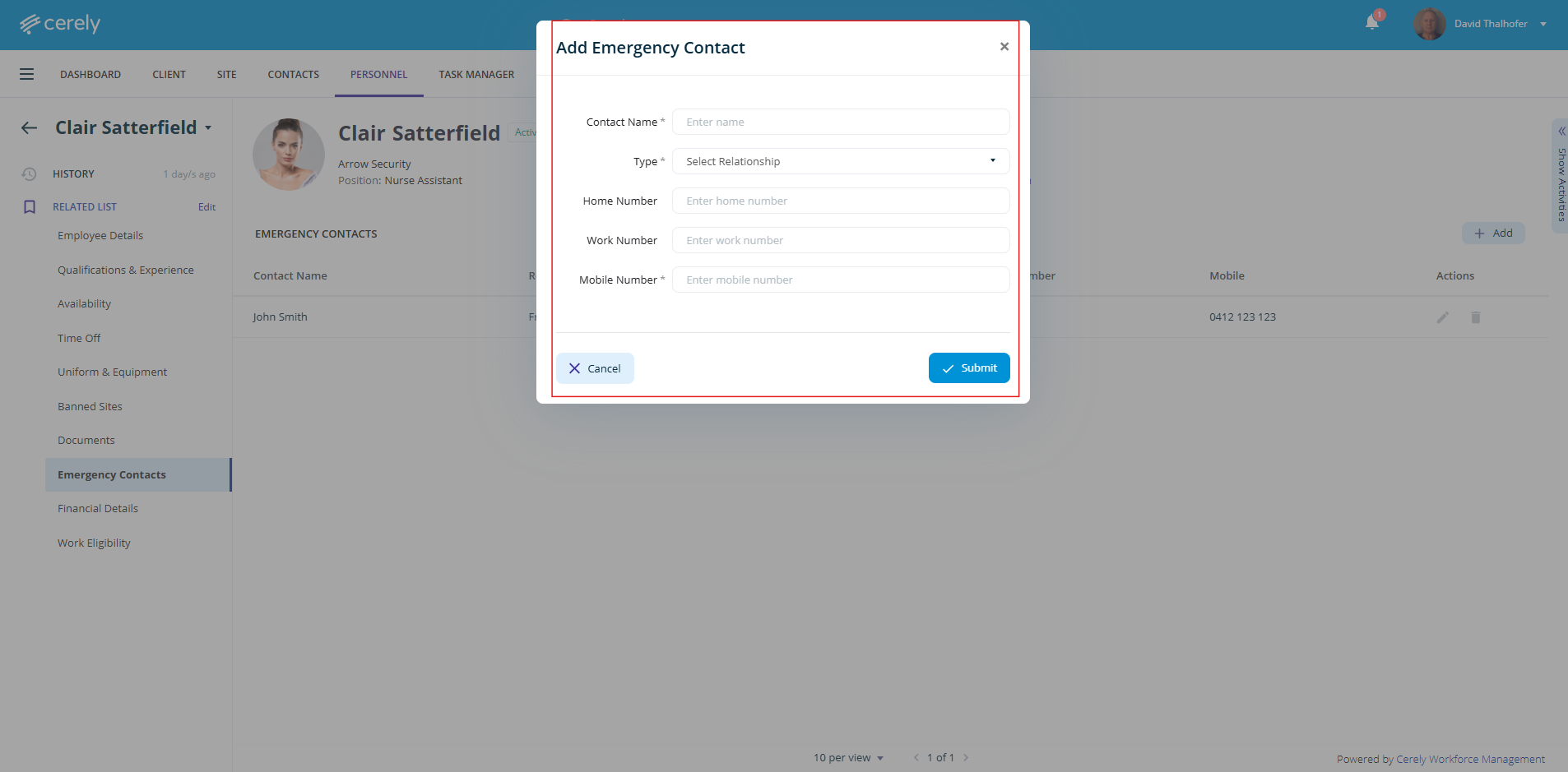
6. Click Save to add the contact
Edit an Existing Contact
7. Locate the existing emergency contact in the list
8. Click the Edit Pencil button
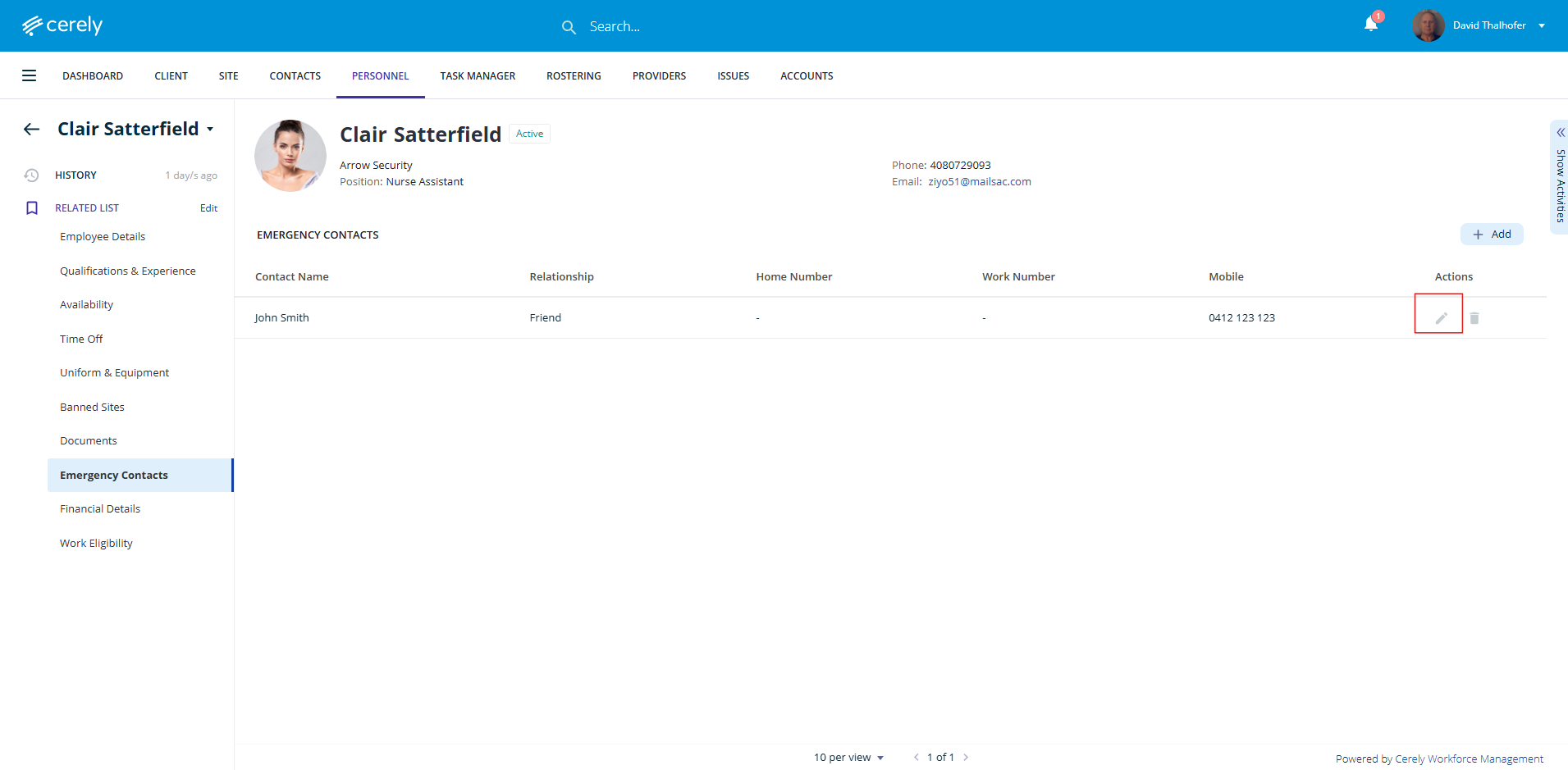
9. Update the relevant contact fields and click the Save button
Delete an Emergency Contact
10. Locate the emergency contact you wish to remove
11. Click the Delete button
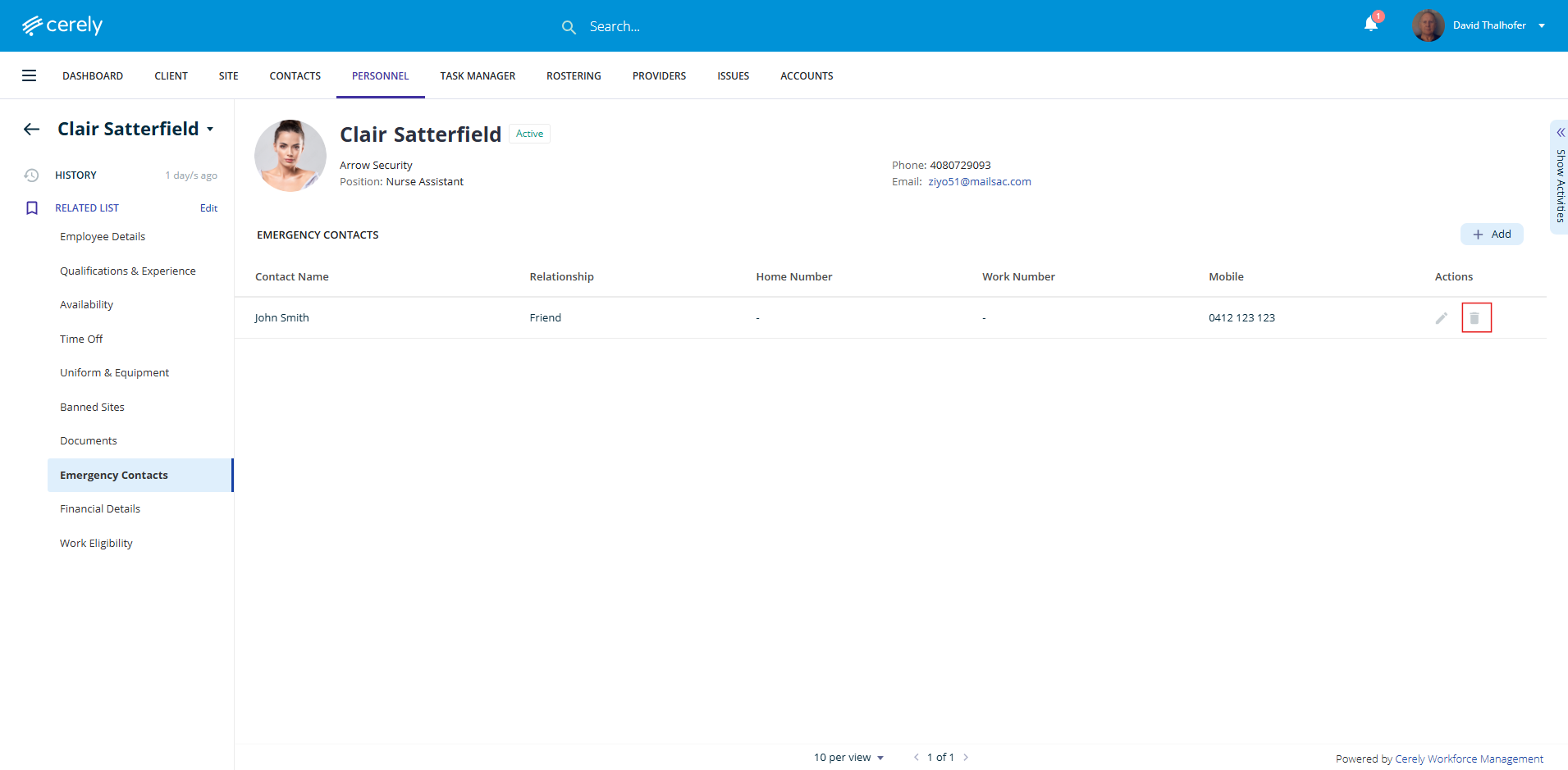
12. Confirm the deletion when prompted
Was this article helpful?
That’s Great!
Thank you for your feedback
Sorry! We couldn't be helpful
Thank you for your feedback
Feedback sent
We appreciate your effort and will try to fix the article